
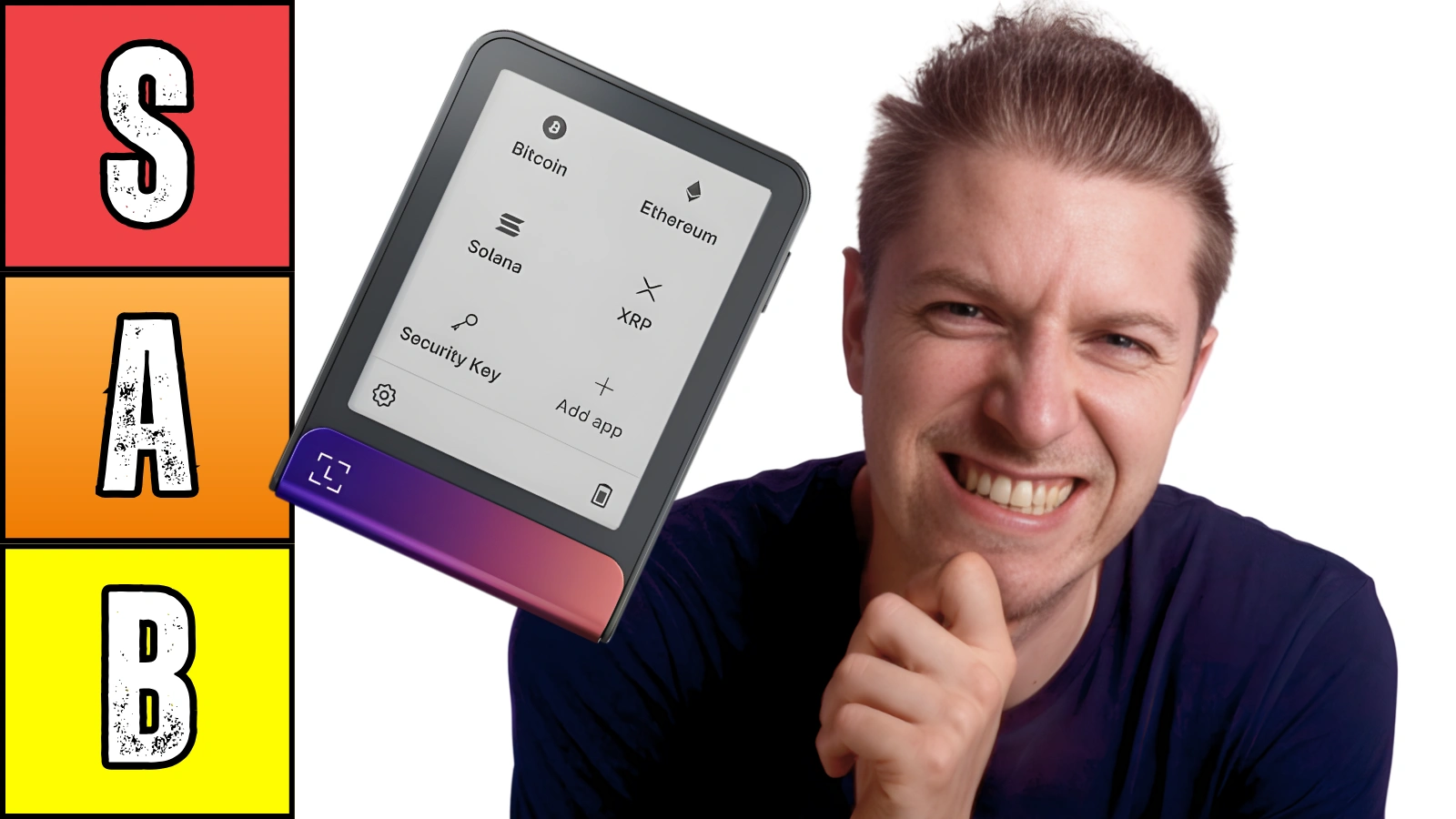
Which Crypto Devices Will Earn The Top Spot?
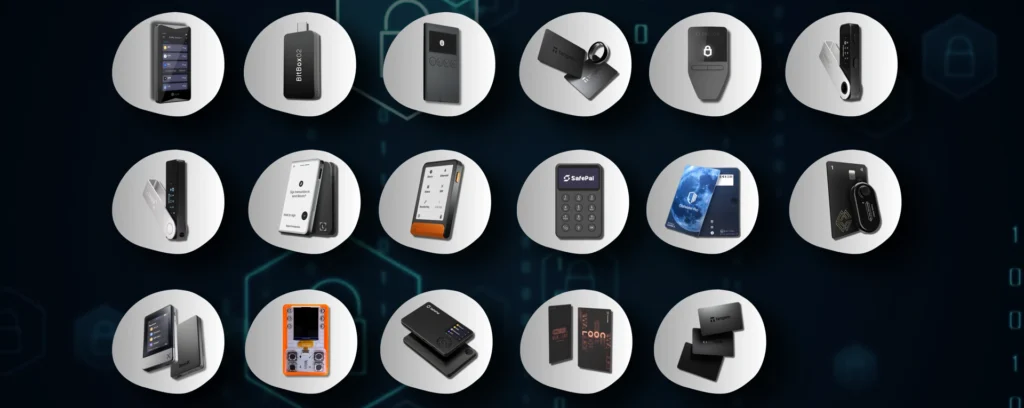
Today we’re going to make a tier list with all 17 different hardware wallets we’ve tested in 2025.
Let’s see where these devices end up and why.
S Tier
Ledger Flex ($249)

No bias to our favorite hardware wallet, which is straight to S.
First of all, we always have this device out on the desk as a decoration because it has an unmatched screen, with sharp clarity.
The build quality on this thing is really unlike anything else you’ll find in a crypto wallet.
It sounds cool. It looks cool.
The touch screen is amazing. the device is super smooth and seamless. Setup was great. App is excellent, if not the best wallet app on the market.
Now one caveat is it’s not the cheapest device.
But I think if you’re going to go with Ledger, it makes so much more sense because you get a bigger screen for the cost. Even over the Ledger Gen5 that we’re yet to test. Flex still wins with superior value.
A Tier
Ledger Stax ($399)

As for the most expensive wallet on the list, Stax is essentially the same thing as the Flex.
There’s only a few key differences that aren’t very distinguishable.
One is the side binding where you can put your name, which looks similar to a book binding.
Another is that it’s magnetic, where they first had the idea for these things to magnetically clip together.
This device is $400.
Who is going to buy two or three or four for the whole family and then stick them together? It doesn’t make sense.
We are glad that they decided to include these magnetic cases with every Stax purchase instead.
Lastly, the Staxx is Qi wireless charging compatibility. So you can just pop it on a wireless charger, which isn’t really big deal.
Do these differences make Stax worth $150 more in value?
Cardware Wallet BTC-Only ($77)

Cardware is a Bitcoin only wallet, and it’s the first hardware wallet to be made from Africa, specifically South Africa.
It is an incredibly simplistic and stylish device for a good cause. I think the transparent casing makes it very unique so you can see the internal components.
It gives that kind of retro-y feel.
Another part that we really enjoy about Cardware is how you generate seed phrases. You can roll a D20 die 64 times, use the inlcuded camera or roll a D6 die 100 times.
This was surprisingly fun and hands on.
And the app is as simple as they come. First of all, you don’t have to download an app. It use web browser.
And second of all, there’s only two features: send or receive bitcoins. Sometimes we just need that simple device for Bitcoin only purposes.
B Tier
Ledger Nano X ($149)

This is actually my (Aldaron’s) most used hardware wallet, believe it or not.
It odd that I’ve literally tried and own all of these wallets being compared here. And still I trust the Ledger X more than anything.
For some reason, maybe it’s laziness because I don’t want to move it off onto a new device. But it’s honestly done me wonders for like five years now.
Ledger Live is arguably the best app out there, so that’s a huge plus
But the small screen is more difficult to use than touchscreens. And the two buttons are a bit more tedious as well for navigation.
For the cost, there’s not as much storage for some tokens compared to competitors.
New review coming soon.
Trezor Safe 3 ($79)

We’ve used this device a lot, mainly due to Trezor’s stellar reputation in the industry.
Trezor only connects with Type-C, just like the Ledger Nano S Plus. And bluntly speaking, it mirrors the that device quite closely.
Build quality is quite similar, but to us actually, Safe 3 is a bit too light.
The two button design and screen are a bit more tedious to use than touchscreens.
It’s got decent token support, but sort of lacking compared to competitors.
Setup is the same as every other wallet using a seed phrase and PIN code.
With Trezor, you’re buying their reputation and their transparency as mentioned above. Trezor is one of the only brands to fully 100% open source their hardware and software.
Safepal X1 ($69)

SafePal makes basically budget only devices. Everything the brand sells is below $100. And they’re not pretty either.
X1 looks like a calculator. But actually, by having more buttons, it was easier to use than the S+, and the X, and some other devices.
Because budget devices usually only have two or four buttons, this design did make navigation smoother.
There are no crazy features on this device, but it does connect via Bluetooth. And that’s quite hard to find for a device under $100.
And SafePal app is great. It looks nice, feels nice and is a smooth and seamless experience.
The brand has some of the best token support of any hardware wallet brand out there.
OneKey Classic 1S ($99)

We’re a huge fan of their app, Onekey app is excellent. They have some features that aren’t available in other apps, the DeFi section is excellent and the UI is smooth.
The brand has outstanding token support, as well as diverse NFT coverage.
The device itself feels a bit cheap. And it’s quite easy to bend, being almost too thin. Probably to the point where it could be snapped in half if tested.
The matte black finish smudges a lot. So if you’re the kind of person who likes things clean and orderly and not scratched, it’s definitely not the right device for you.
The screen also was a bit glitchy and it wasn’t as clear as some of the other screens from competitors.
Ledger Nano S Plus ($59)

We’ve been using this device for a while, but there is one tragic flaw with this device.
And that is the small storage for apps that it contains.
You can only download five or six different blockchains total until your storage is completely filled up.
If you’re not a person who has tons of different tokens from different blockchains, you’re going to be completely fine on this $59 device.
The screen is mega small and the buttons are also tiny. So it’s really not the easiest device to navigate on similar to the Nano X.
There’s no Bluetooth, so it only uses type C, which can be annoying due to cable gets in the way sometimes.
But again, with Ledger app, this device is a solid choice.
Ellipal Titan 2.0 ($169)

The build quality on this device is up there with the Flex. I wouldn’t say it’s as nice, it’s a bit bulky and solid, but the aluminum feels firm.
It’s got a huge screen, which is great for signing transactions clearly.
One of the most annoying things are the firmware updates, which you need to have a SD card to put into your computer, and then bring the files over, then bring it to the device.
Another caveat to Ellipal is that you can only charge the device with this included security adapter. It is kind of annoying because you want to be able to charge the device with a normal type C cable.
And I think the biggest part that pushes people off of Ellipal is that they are very close source, which is a shame because these devices are all about openness and transparency.
Tangem Ring ($160)
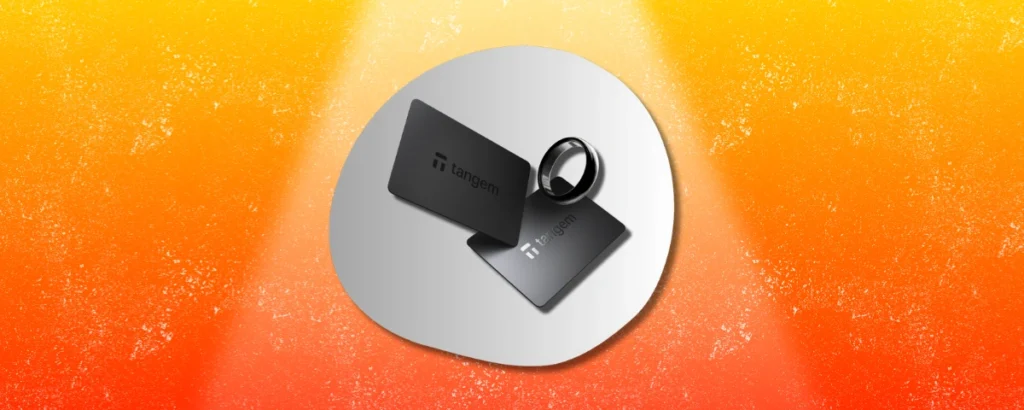
This is the most unique hardware wallet that’s ever come out. Who would have known that you can put an NFC chip inside of a ring?
But the main idea of the ring doesn’t hold true.
The reason we’re saying this is because the point of a ring is to carry with you wherever you go. Now, why would you carry a device with you if you’re not going to use it in public?
Also have to take the ring off to use it, which is pretty annoying.
This device has collected dust ever since we got it.
If you don’t wear a ring, do not buy this device. Just buy the card for half the price instead.
Tangem Wallet ($70)

So Tangem is an incredibly user-friendly device. It is so quick to set up and it’s really easy for users who don’t know much about crypto to use.
And this is something that really makes Tangem stand out because most wallets are quite hard to use and the learning curve is high.
Color options are excellent, and the quality of the plastic card is decent.
But there’s a few issues with Tangem that set me off from giving it the highest score.
One of those is that yes we can generate a seed phrase, but we can only generate it in the mobile app. And it’s a big no-no to put seed phrases on a mobile online device instead of on an offline hardware wallet.
The second problem with Tangem is that it doesn’t have a screen. There’s no way to confirm what you’re seeing on your mobile device is the same as what you’re seeing on your hardware wallet.
CoolWallet Go ($69)

Bluntly speaking, it feels like a complete copy of Tangem.
But it’s slightly worse because it has two cards instead of three. If you lose one card right away, you only have one card to back up your information and you’re back with the seed phrase problem.
It’s also the same price, which doesn’t really make sense for one less device.
The card feels a bit cheaper too.
And I think the design options aren’t as great as Tangem.
C Tier
BitBox02 Multi ($173)

Bitbox also comes in Bitcoin only, but we were able to receive the multi-edition.
And one thing that we really didn’t like about Bitbox was their lack of token support, which includes Bitcoin, Ethereum, and Litecoin.
But as more chains come out in 2025, we feel it’s way, way behind the curve for what is acceptable in a wallet that stores diverse coins and tokens.
Also, the navigation with the little touch centers were extremely strange. It just wasn’t a user-friendly experience.
And having a USB male port, it makes it more awkward to use than just plugging something a cable in, because we had to plug it directly into the phone.
Build quality just wasn’t up to par for the cost.
And lastly we have to mention that there were some UI issues in the app itself, which is quite rare to see on a finished product.
Safepal S1 ($50)

The S1 is another QR scanning type device.
Build quality isn’t really up to par, but for such a cheap wallet it makes sense.
The screen isn’t the greatest quality and is very, very small and hard to see.
But saying that, it does have one of the best crypto wallet apps and the brand supports tons of different blockchains and NFTs.
Now there were some talks about vulnerabilities from Kraken Labs, which docked some points.
Cypherock X1 ($149)

We have a lot to say about Cypherock as a company but that’s for another post. There’s just so many things off with this device as from brand new company.
The device feels extremely cheap. The app is not very good, and it’s desktop only. Most wallets have a mobile app, because that’s how you reach the most amount of users.
The cards were easy to bend in half, which is not good for longevity.
The Shamir system that they’re using with the four cards to back up is cool, but not very practical.
And lastly, I couldn’t even send my Solana off this wallet. Still to this day it’s stuck there.
D Tier
CoolWallet Pro ($149)

There’s no nice way to say it, the device just didn’t work.
The screen’s also far too small to confirm transactions accurately.
And tghe battery was dying out of the box, which is a first. Then it kept shutting off during setup.
It’s super impressive the brand was able to stick screen, button and charging connector into a card… but at what cost?
CoolWallet app is pretty good, so that may be the only postive here.
But with those caveats, it’s really hard to justify paying $149 for this device.
Secux Neo X ($179)

This was actually the first hardware wallet ever sent to the channel.
It’s lacking in so many ways.
Neo X connects via Bluetooth or type C.
If you want to grab one, check the link below for discounts.
Thanks for reading and catch ya in the next post!