
- Unboxing
- OneKey Classic 1S: Shockingly Thin Device
- The Normal Crypto Setup With OneKey Classic 1S
- OneKey App: Top Tier Crypto Wallet Experience
- Excellent Token Support With OneKey App
- OneKey Security: Past Mistakes, Improvements Made
- OneKey Classic 1S Reputation & Reviews
- OneKey Classic 1S Vs. Other Crypto Wallets
- Final Thoughts: Major Budget Wallet Competitor
What‘s Inside The Box?

OneKey Classic 1S: Shockingly Thin Device

Right off the bat, Onekey has some in your face packaging with poppy bright colors.
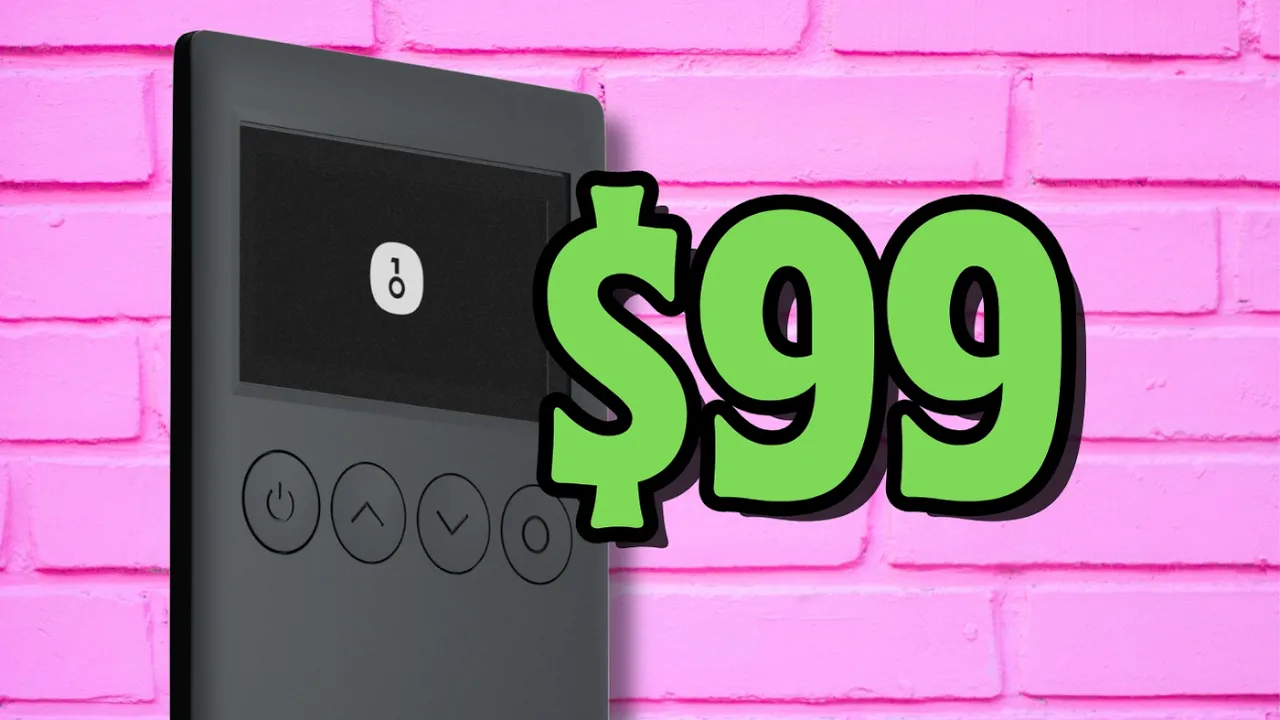
The $99 device is credit sized, incredibly thin and has a sleek mat black finish.
Although the hardware wallet feels a bit hollow, which we can hear when knocking on it, it doesn’t feel as if it will snap or break when bending with some force.

The 128×64 OLED display is small but just about big enough to render important information when making transactions. Screen clarity is not the best, but gets the job done.
Under the screen are 4 buttons: power, up, down and select. The buttons make a satisfying sound and don’t feel cheap or flimsy.

At the bottom is the type C port, used to charge the 110 mah battery. That’s quite weak, so depending on how often the wallet is used, we could be charging often.
The Normal Crypto Setup With OneKey Classic 1S

It’s great that the Classic 1S works on all mainstream devices, both mobile and desktop.
But do be aware that the desktop app version is cable only, while mobile is Bluetooth only.

To start the setup, turn on the device and choose a language.
Select ‘create new wallet’. Choose the recovery word amount, which we always recommend picking 24 words for added security.

Write down all 24 words on the included recovery sheet.

Now verify all the words are correct by matching the same ones on the device when prompted.
Next we’re asked to choose a PIN code. This feature stops physical brute force attacks in case the device is stolen.

Download the OneKey App, click ‘add wallet’, and pair to bluetooth.
After confirming, the OneKey app will generate unique wallets for the account.

Setting up the device on desktop is a similar experience to mobile.
OneKey App: Top Tier Crypto Wallet Experience

Cutting through the fluff, this has been one of my favorite wallet app experiences yet.
There’s nothing in the app that’s necessarily more eye-catching, but the layout experience in app is incredibly smooth and seamless.

Firstly, we can buy tokens in app through Onekey directly.
Receiving crypto is the normal crypto experience. Grab your wallet address and send some crypto over.

To send, choose a token, enter the wallet address and select the amount. Confirm the data included on the wallet is correct and approve the transaction.

It’s also super easy to view previous transactions – all data is completely transparent and clear.

View market prices, trade crypto and stake it to earn extra yield.
The Dapp section is the least fidgety yet. It was simple to connect to Jupiter exchange through Onekey.

An additional feature becoming popular as of late is setting a screen saver, but it’s not asthetically pleasing on such a small, blurry screen.

Lastly, there’s also a subtle dashboard in app to help users navigate to common areas – a nice handy feature not common in other wallets.
Excellent Token Support With OneKey App

OneKey claims to support over 30,000 tokens through the blockchains available in app, making it one of the most diversely integrated wallets out there.
The Classic 1S device is also a great option for NFTs, supporting Solana, Ethereum, BSC, Polygon, Optimism, Arbitrum, and Avalanche.
OneKey Security: Past Mistakes, Improvements Made

The OneKey Classic 1S rocks an EAL 6+ secure element chip made by Chinese manufacturer Tongxin Microelectronics Co, which is currently the industry standard level for top security.
It’s worth mentioning that Onekey is the only brand we’ve seen host a Chinese made secure element chip.
This microchip handles required cryptographic tasks such as generating and storing private keys.

There’s also a MCU or microcontroller chip inside which handles all basic functions.
Onekey has audited all of their products through Slowmist, a company with vast experience in the crypto space.
Luckily for us, there is an in-depth report about testing on the Onekey Classic 1S – far more than I’d like to bore you with here.
All that said, security is not always guaranteed in the cryptoverse. To this day, there has been only one reported flaw with a previous Onekey product.
In 2023, crypto rescue and recovery company Unciphered found a ‘massive critical vulnerability’ in the OneKey Mini, allowing them to ‘crack’ the device.
Long story short, Unciphered was able to create a tool which intercepts communication in the middle and added in their own custom commands.
Those commands being, send me your crypto.

Not wanting to negatively impact users, Unciphered reported this bug to Onekey, which was promptly patched before announcing it.
And just for context, the Onekey mini has since been discontinued. View this article for more info.
To be completely certain about the Onekey Classic 1S, every part of its firmware and software is open sourced, including the app.
That is except for the secure element chip, requiring an NDA agreement. So the wallet 95% open sourced, as is common in the cold wallet industry.
Take a look at their github here for more info.
OneKey Classic 1S Reputation & Reviews

Onekey as a company was established in 2019 based in Hong Kong.
Impressively, the company quickly landed investment from huge players in the space such as Coinbase, Dragonfly, and YZi Labs, previously Binance Labs.
Onekey.so holds a 4.1 out of 5 rating with 225 reviews on Trustpilot – a solid score.
For the Classic 1S device specifically, the hardware wallet holds a 4.3 out of 5 on Amazon.com.
Here’s what users are saying about the Onekey Classic 1S:
Having full transparency, when searching for any of the 1 star reviews on amazon.com, which is 10% of total reviews, it seems those reviews couldn’t be found.
Strange nothing appears, but come to your own conclusions here.

To be devil’s advocate, Onekey has directly responded to every negative review on Trustpilot.
As per usual, check their socials, metrics and what users are saying to get a better idea of the brand.
To contact support, either go directly through the app in the dashboard or settings. Alternatively, open their website at onekey.so and talk with the chatbot.
OneKey Classic 1S Vs. Other Crypto Wallets

How does the OneKey Classic 1S ($99) differ from other popular hardware wallets we’ve reviewed?
Ledger
- Ledger S ($59): USB only, 2 buttons, similar app, security and build quality
- Ledger X ($149): battery powered, bluetooth or USB-C connection, similar app, security and build quality
- Ledger Flex ($249): bluetooth or USB C, larger screen, additional features, similar app, security and build quality
- Ledger Stax ($399): essentially same as Flex, but with a curved screen and label binding
Trezor
- Trezor Safe 3 ($79): USB-C only, 2 buttons, less token support, similar security and build quality
Tangem
- Tangem card ($70): NFC, no battery, faster transactions, similar app, less security
- Tangem ring ($160): same as Tangem card
Safepal
- Safepal S1 ($50): QR code scanning, offline, worse build quality, similar app
CoolWallet
- CoolWallet Go ($69): NFC, no battery, faster transactions, less security
- CoolWallet Pro ($149): weak battery, small screen, clunky, slow
Cypherock
- Cypherock X1 ($149): USB-C only, joystick, 4 card backups, worse app, similar build quality
Secux
- Secux Neo X ($179): USB C or bluetooth, bulky, worse build quality and app
Final Thoughts: Major Budget Wallet Competitor

Overall, I was pleased with the Onekey Classic 1S.
Man, that’s a mouthful to say!
There wasn’t one frustrating moment from unboxing to power down.
Build quality is on par with its price range, the app has an excellent layout, and setup itself went above and beyond.
Now, for a few caveats.
1. The material used for the matte black finish leaves fingerprints and scuff marks behind.
2. The screen is extremely thin and seemingly plastic. This part seems to be a weak point in the build, so be careful with it.
So should you buy the OneKey Classic 1S?
After putting hours into this device, the Onekey Classic 1S is a great alternative screened device option to the Ledger S Plus and Trezor Safe 3.
It has everything we should look for in a hardware wallet, all at a competitive price.
So if you want to grab one, check the link below.
For more in-depth breakdowns like OneKey Classic 1S, explore other crypto reviews on the site.
Thanks for reading and catch ya in the next review!
What the difference between OneKey Classic 1S and Pro?
The OneKey Pro has a 3.5 inch color touchscreen, signing with camera, fingerprint lock and haptic feedback. Signing with the camera is considered air gapped.
OneKey Classic 1S has a smaller led screen with four buttons to navigate.
Security and hardware is the same.
Is OneKey Classic 1S open sourced?
Only the secure element chip is not open sourced due to the signing of an NDA agreement with the chip manufacturer. This makes the cold wallet 95% open sourced.
Take a look at their github here for more info.
Is OneKey Classic 1S compatible on all devices?
Yes, the Classic 1S is available on iOS, Android, macOS, Windows and Linux.
What if I lose my OneKey Classic 1S device?
Since you must generate a seed phrase to set up the hardware wallet, this is the key to access your crypto.
Do note that hardware wallets help you connect to the blockchain, but do not actually store any cryptocurrency themselves.
What is the expiry or shelf life of the OneKey Classic 1S?
It’s generally standard for screened cold wallet devices to last between 3-5 years. This depends on battery and screen quality.
Is OneKey Classic 1S safe and secure?
OneKey follows traditional hardware wallet security by allowing users to check transactions on both the device and app.
It seems that the brand has learned from their mistakes with the OneKey Mini to make improvements for future devices such as the , Pure, Classic 1S and Pro.
Remember to never share your seed phrase anywhere!