
Key Takeaway
Ellipal Titan 2.0 has outstanding build quality and an amazing companion app to match. But the constant QR scanning and clunky firmware updates make this wallet more time consuming and less user friendly. Would only recommend for experienced users looking for ‘air-gapped’ crypto security.
- Unboxing
- Ellipal Titan 2.0: Heavy High Quality Design
- Standard Wallet Setup with Ellipal Titan 2.0
- Ellipal Wallet App: Smooth And Seemless Design
- Ellipal Has Average Token & NFT Support
- Ellipal Security: Flaws In Past Device
- Ellipal Titan 2.0 Reputation & Reviews
- Ellipal Titan 2.0 Vs. Other Crypto Wallets
- Final Thoughts: QR scanning worth the hassle?
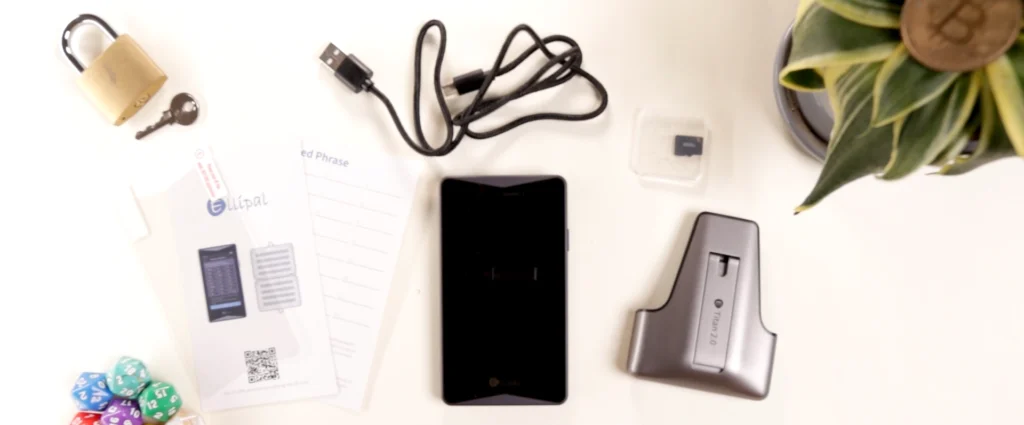
What‘s Inside The Box?
Ellipal Titan 2.0: Heavy High Quality Design
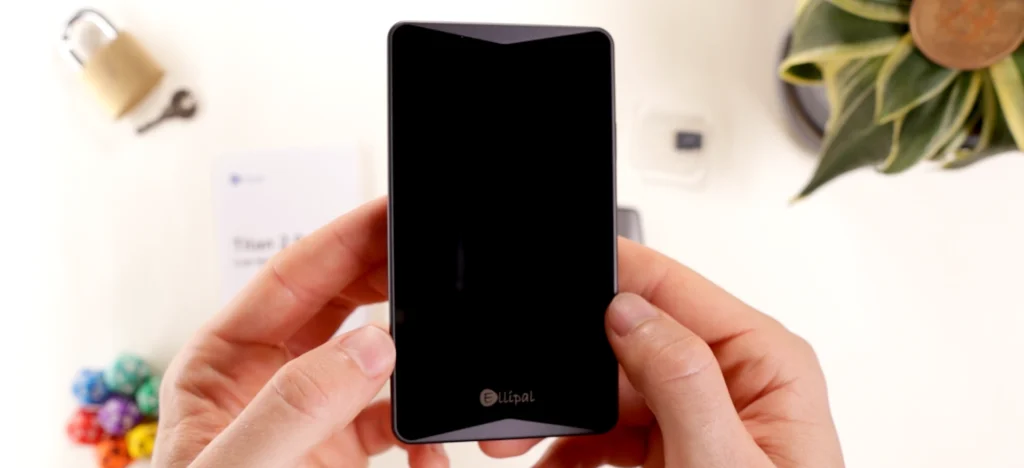
First impression of Titan 2.0 out of the box is how heavy and solid this device is.
Made of Solid aluminum alloy, it weighs in at 140 grams, as heavy as some phones. And it really does feel like one in hand.
There’s no chance of damage on a bend or twist, passing with flying colors.
We haven’t felt build quality in a device like this since the Ledger Flex, and that’s really saying something!
The giant 4 inch screen hosts a IPS Display Color display, which makes this wallet ideal for clear signing, aka displaying relevant transaction details.
We’re also given a screen protector, which is a unique touch.
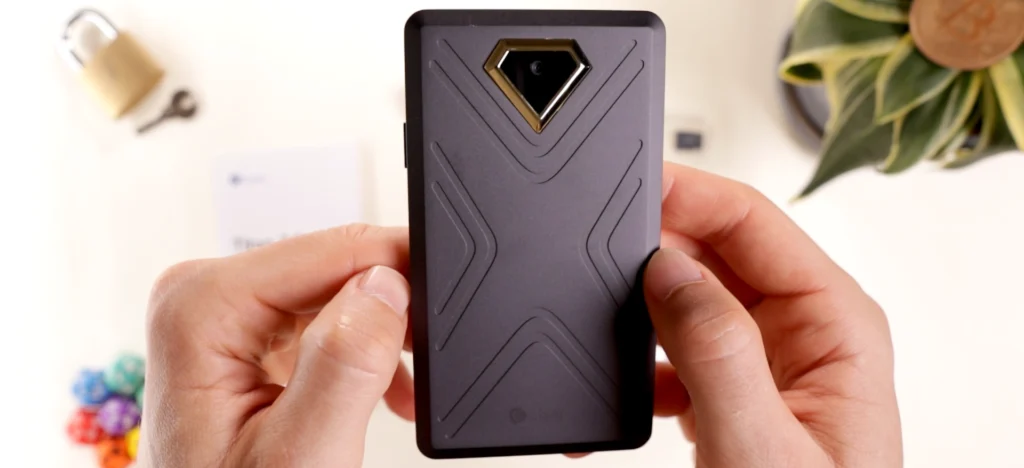
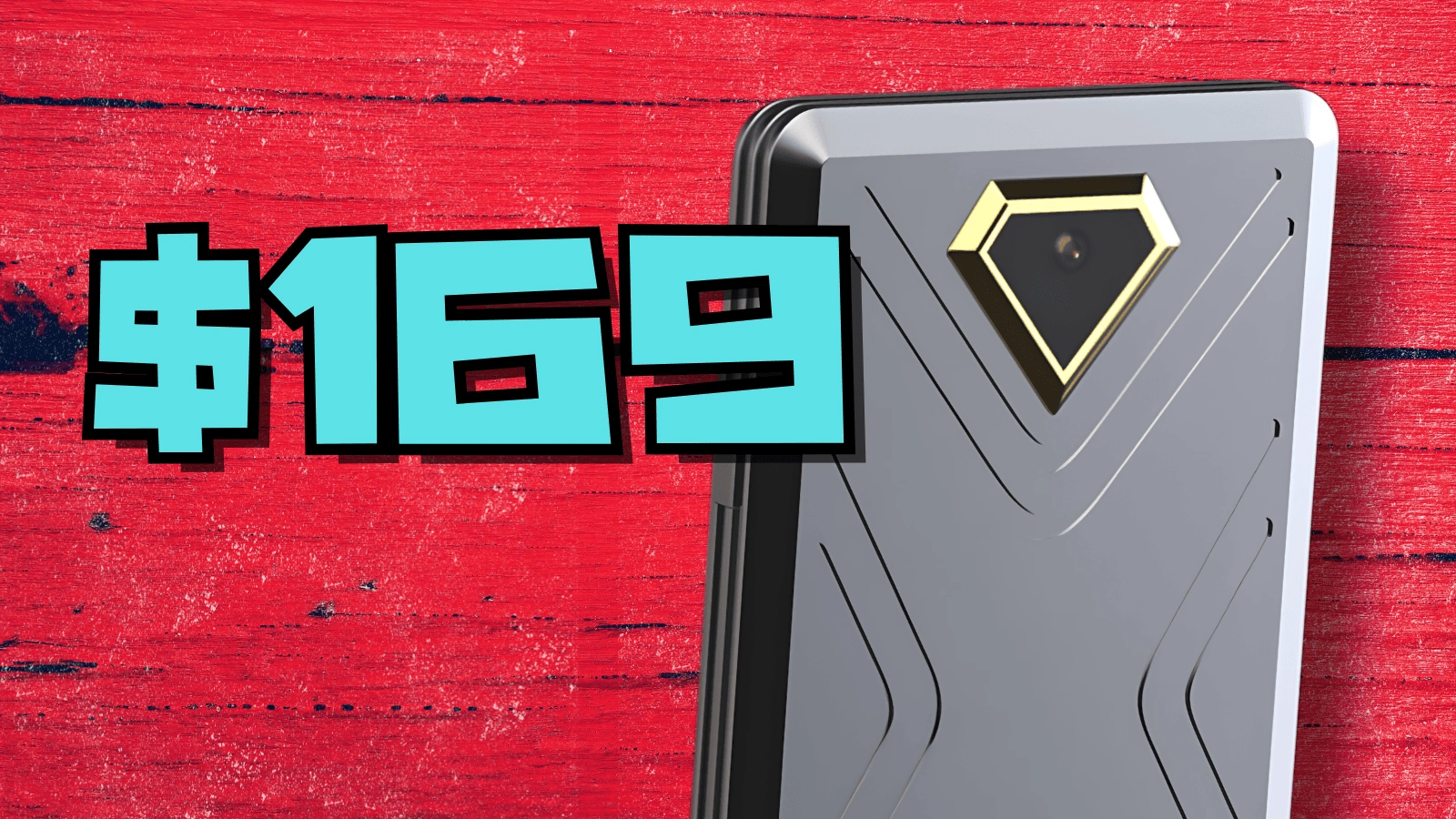
On the back is a camera with a distinctive golden diamond shape, giving an edgy, futuristic look.
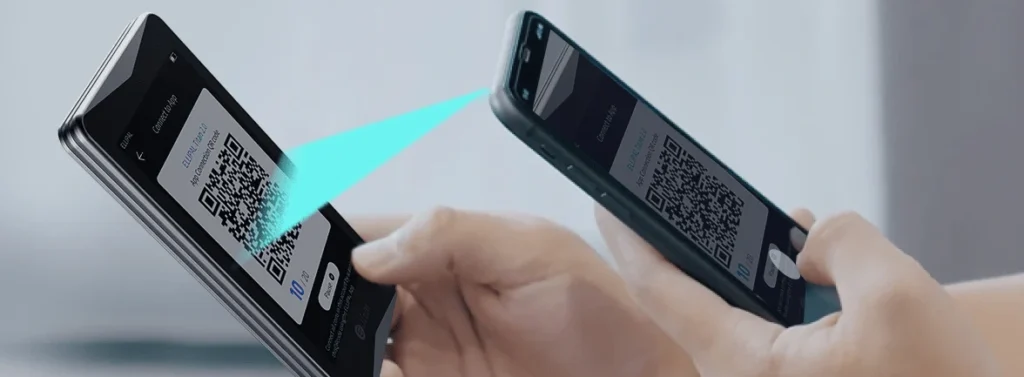
With this camera, we’ll be able to scan QR codes for transactions without connecting using USB, Bluetooth or Wi-Fi.
The 1400 mAh battery should last long compared to other competitors, especially those with puny 100-200 mAh batteries.
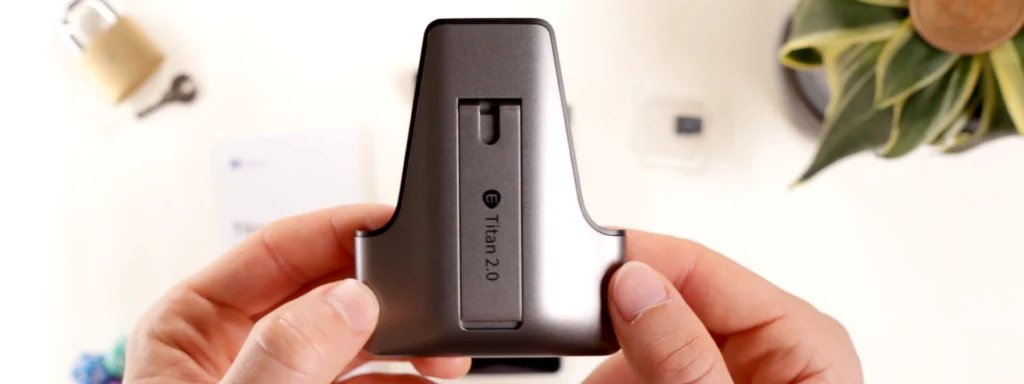
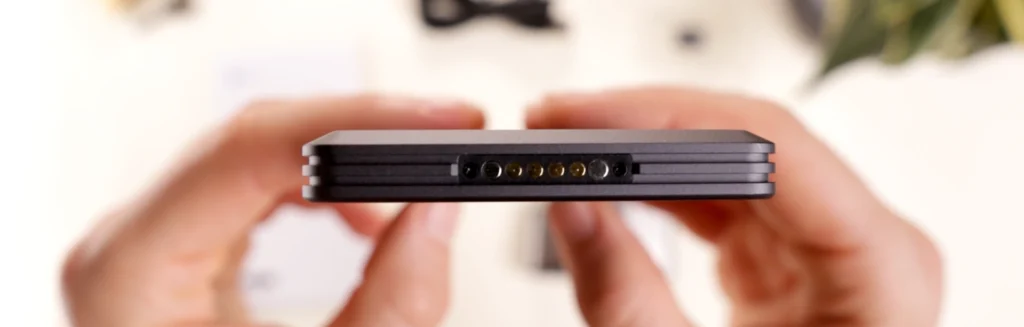
The only way to charge the device is by using the included Security Adapter, which connects via USB A to C since the Titan 2 has no charging port.
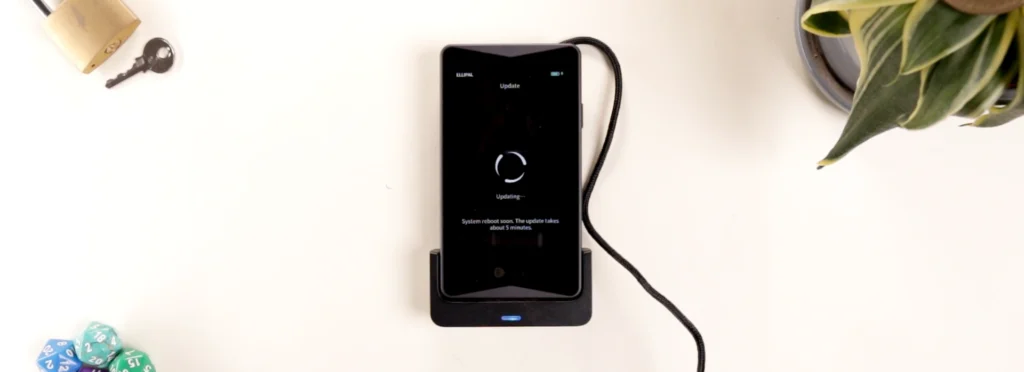
And firmware updates are done through a microSD card and a slot on the Security Adapter, which is included.
Standard Wallet Setup with Ellipal Titan 2.0
Do note that Ellipal Titan 2.0 is only available on Android and iOS. This is a shame, since users may want to use the device on desktop or both mobile and desktop.
Start by downloading the Ellipal Wallet App on the app store
Turn on the device and choose a language.
Create an account and accept the security prompts.
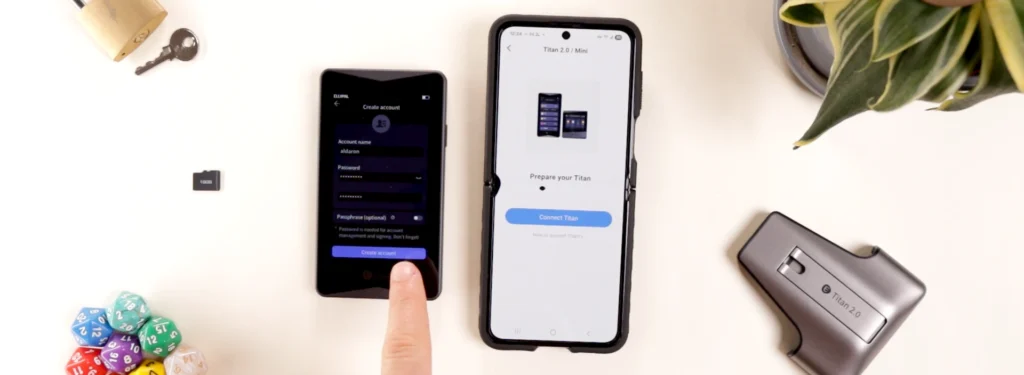
Ellipal’s also included super helpful info for new users that must be checked off to continue setup.
Then a 24 word seed phrase is automatically generated.
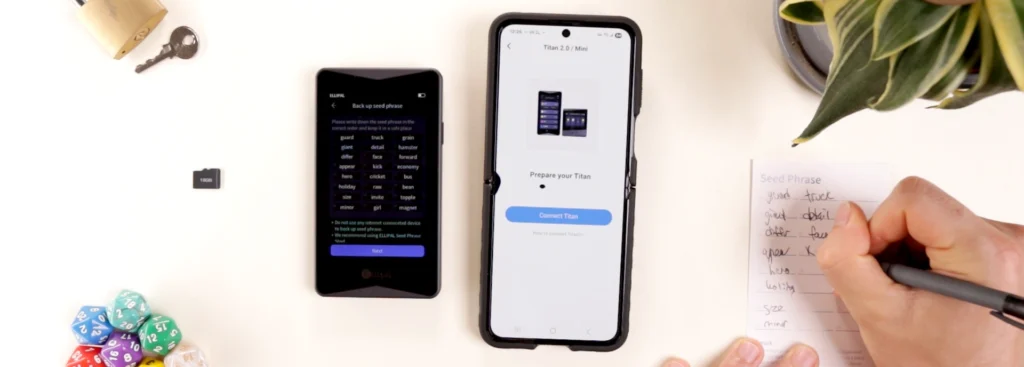
Write it down on the included recovery sheet.
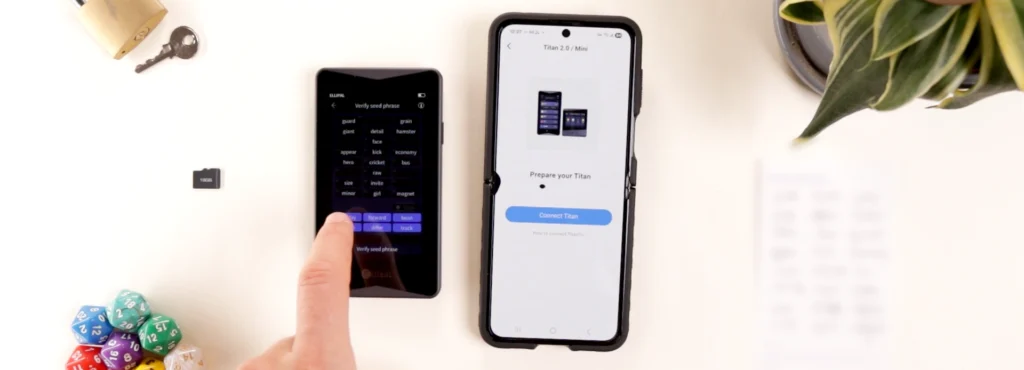
Afterwards, click next and confirm the missing words on the Titan 2.0 device.
Choose which coins or tokens to start with and click ok.
Scan the QR codes on the Ellipal app with your mobile wallet and we’re ready to start.
Ellipal Wallet App: Smooth And Seemless Design
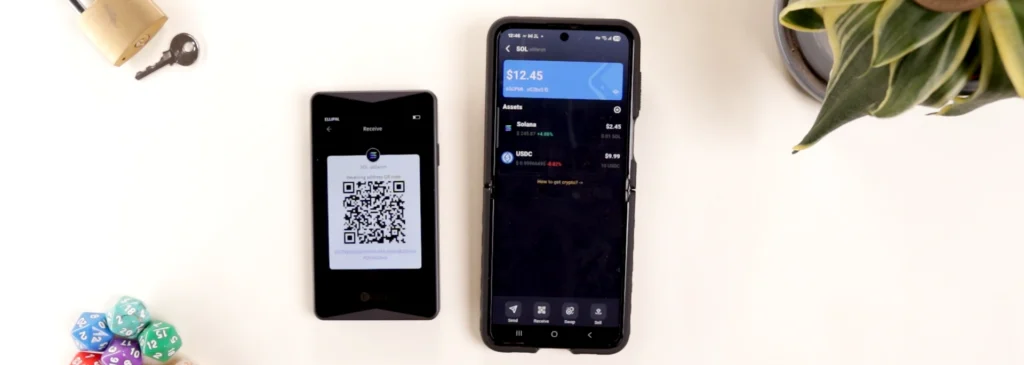
As usual, we get the standard wallet app experience, but I’m a fan of the color theme and layout on the Ellipal Wallet app.
Adding and receiving crypto is slightly more complicated compared to most wallets.
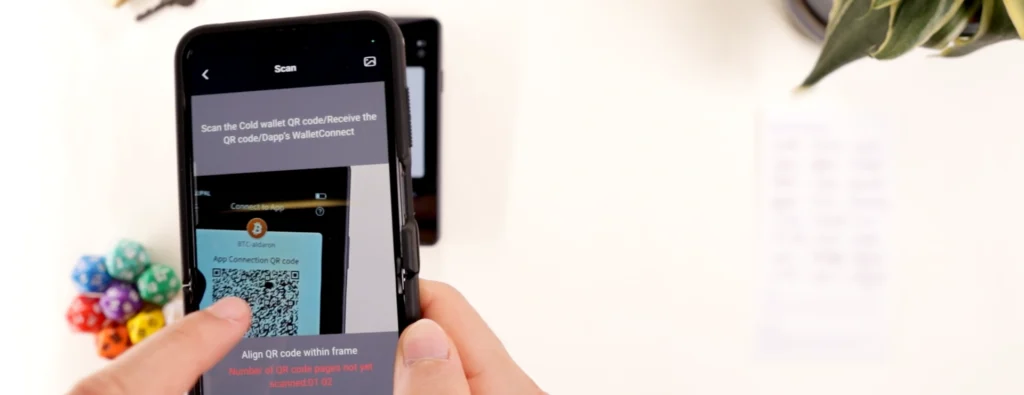
Once we’ve displayed the QR code on the Titan 2.0, open the QR scanner, scan the QR code with mobile and the token will be added to Assets.
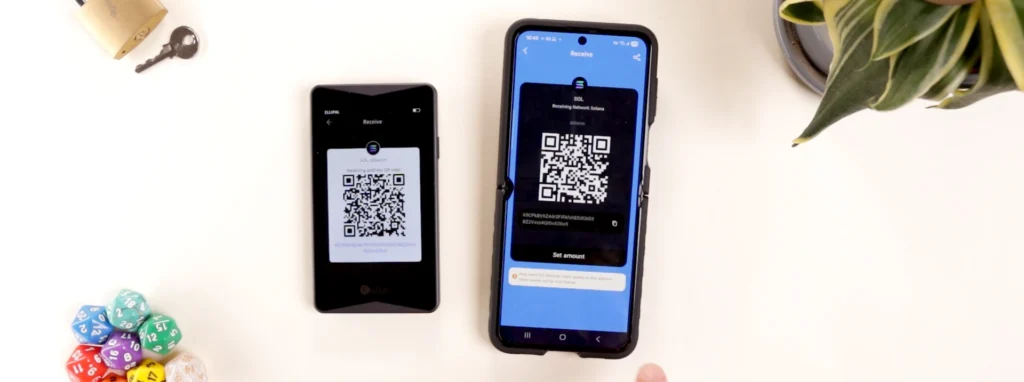
Then click SOL and tap receive to get our wallet address.
To send crypto, Ellipal Titan 2.0 has a few more steps than traditional hardware wallets using Bluetooth or USB.
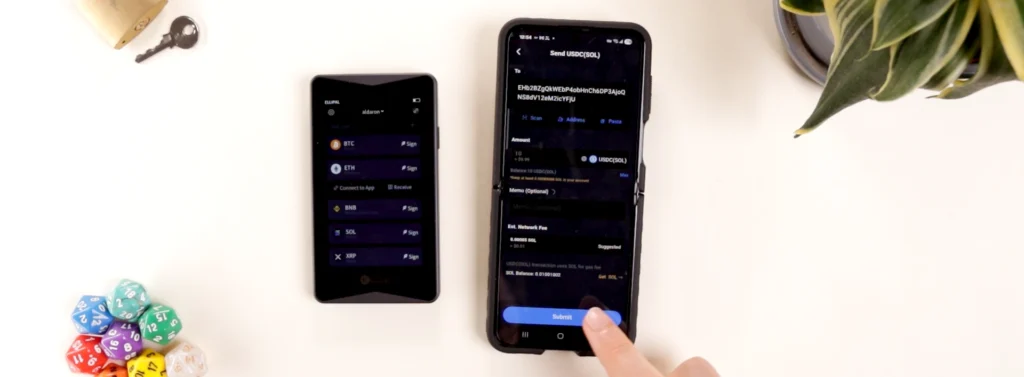
Tap send and choose the token.
Enter the wallet address, token amount and click submit.
Press ‘sign’ on the Titan 2.0 and enter your password.
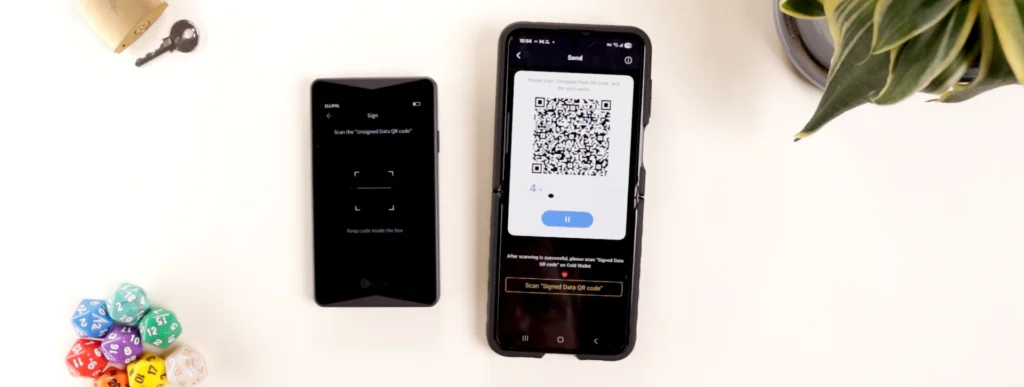
Click ‘I understand’ and scan the QR code on the Ellipal app.
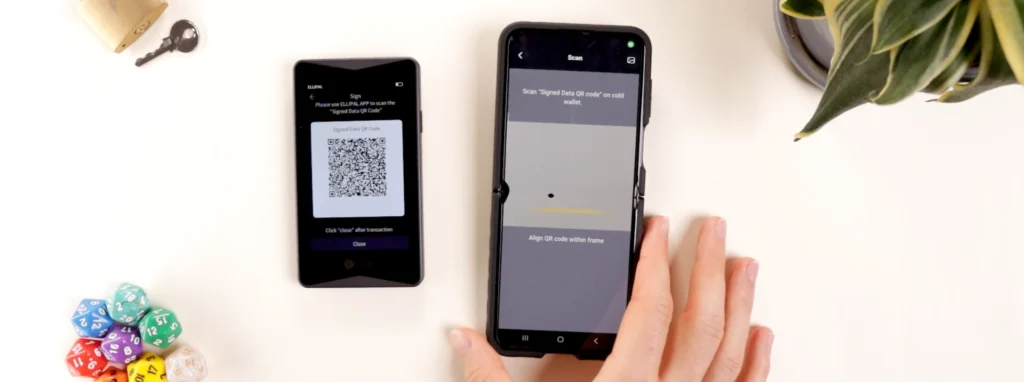
Once all 4 QR codes are scanned, confirm the transaction details on the device.
After pressing ok, scan the QR codes on the Titan 2.0 device and the transaction is confirmed.
We can also buy, sell, swap and stake crypto as needed.
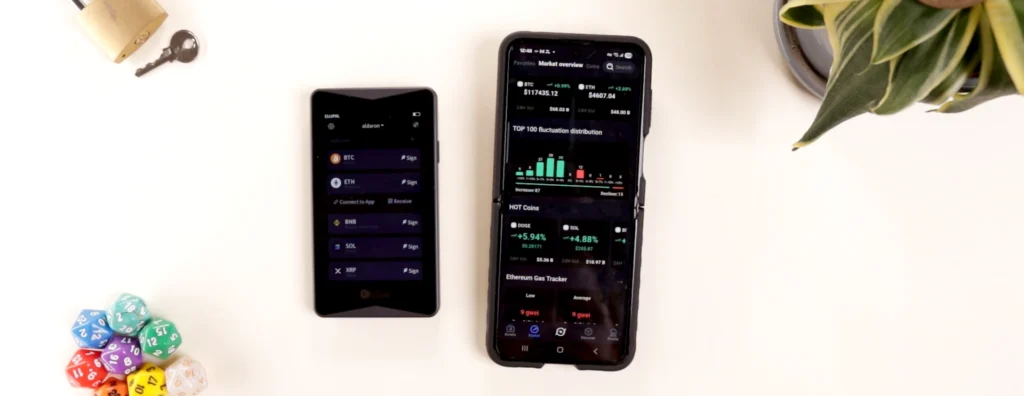
Further exploring the app, view tons of market data such as a general overview and coin market caps.
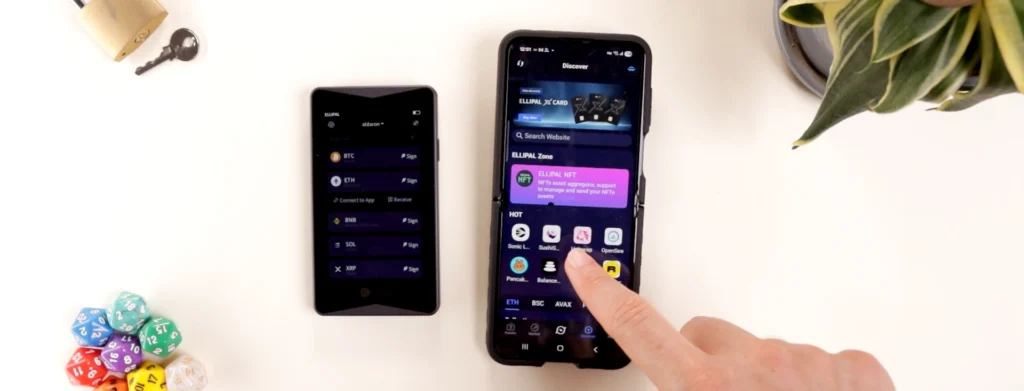
The discover section allows users to connect to dapps for defi purposes. Ellipal uses WalletConnect, which I was able to connect to Uniswap here.
Lastly, it’s important to mention that 10 accounts can be created in Ellipal Wallet app, for those who want multiple wallet addresses.
Ellipal Has Average Token & NFT Support
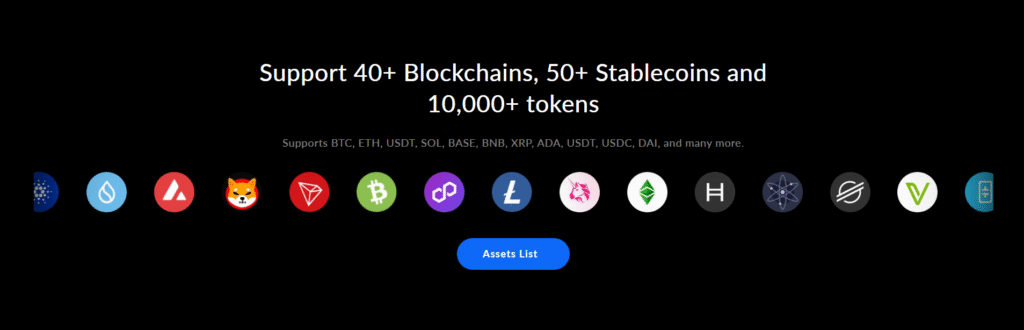
Ellipal supports over 40 blockchains and more than 10,000 tokens. This statistic is below some other competitors who’ve integrated 100 to 200 blockchains and 30,000 plus tokens.
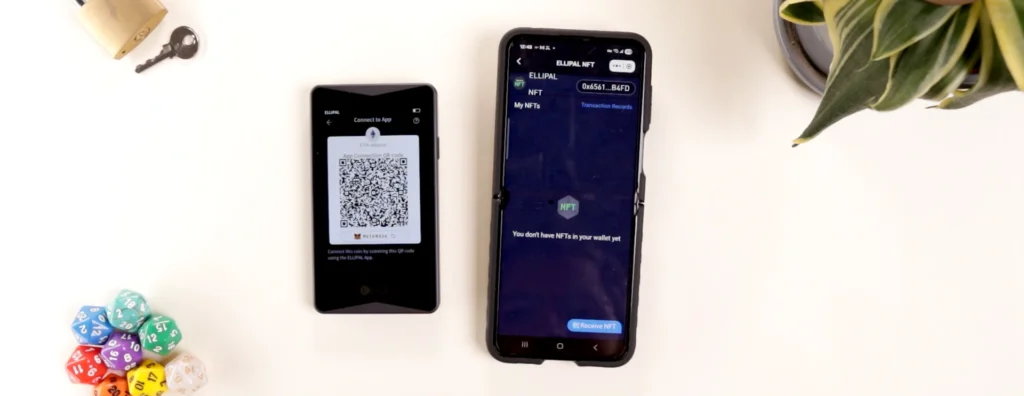
NFT support is only on Ethereum & Polygon, so it’s hard to recommend the Titan 2.0 for NFT enthusiasts.
Ellipal Security: Flaws In Past Device
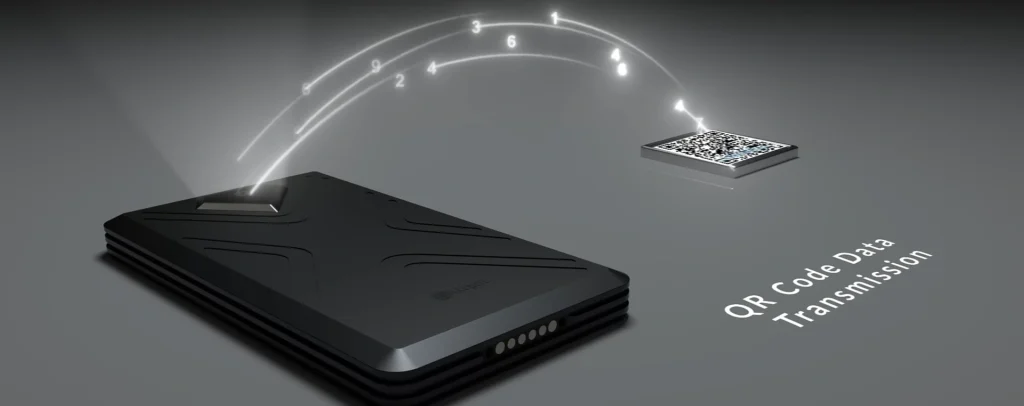
Ellipal Titan 2.0 secures the device using the following internal components.
First is the SoC or system on a chip. Some example tasks include running the user interface, preparing transaction data and managing firmware.
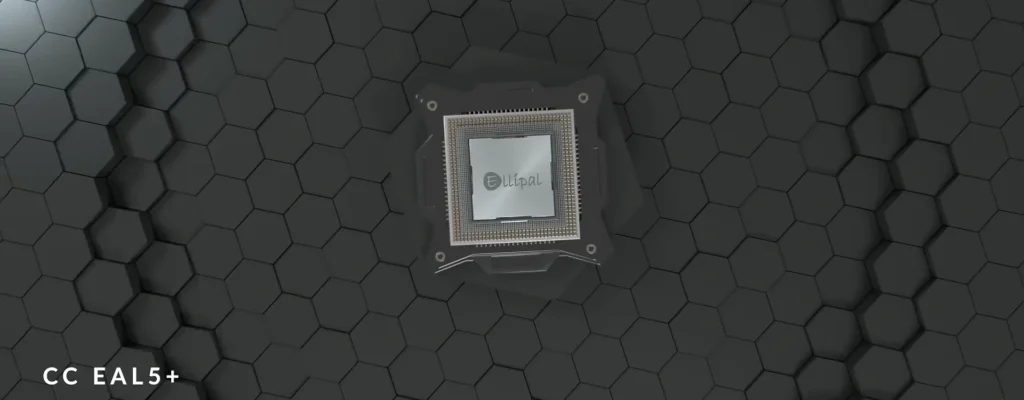
Next is the EAL 5+ secure element chip, which generates and stores private keys, runs the crypto routines we see in setup and authenticates device integrity before signing.
Do note that an EAL 5+ certified chip is more than capable for securing your crypto.
Speaking of signing, both chips work together to ensure safe and secure operation when we send and receive crypto.
Upgrading firmware on Ellipal Titan 2.0 is incredibly tedious, and can only be done with the included microSD card.
In terms of flaws, no vulnerabilities have been found on Titan 2.0 to date.
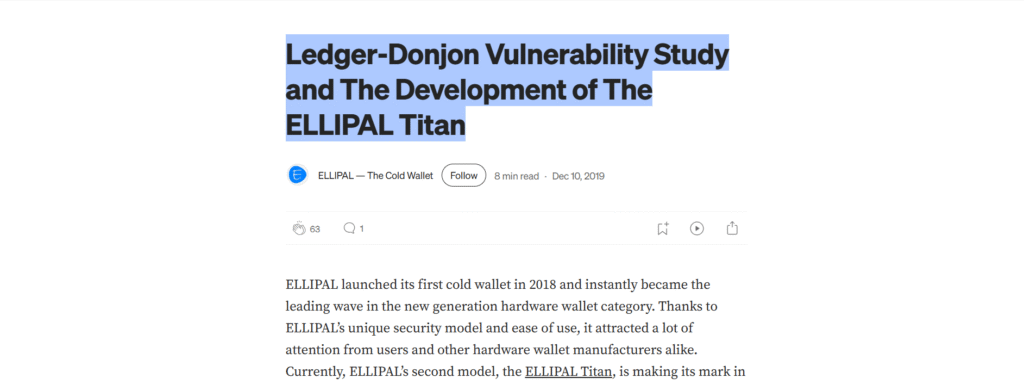
But in 2019, Ledger Donjon found multiple security issues with the ELLIPAL EC01, a predecessor to the Titan 2.0.
Long story short, Ledger’s findings concluded the USB port could be modified with physical access, WiFi could be re-activated and fake firmware could be installed.
Whether these claims were 100% true or not, it led Ellipal to remove the USB port and WiFi connection, as well as fully sealing the device, creating the current Ellipal Titan 2.0 device sold today.
For a full breakdown, read this excellent article on Ellipal’s Medium page.
Unfortunately, based on the info available online, there seems to be no public 3rd party audit of the Titan 2.0.
In terms of open sourcing, most of Ellipal is closed source other than the QR code logic. Closed source parts include most of the app and firmware of the device, including the EAL 5+ secure element chip.
Any open sourced parts are available on their Github page.
Ellipal Titan 2.0 Reputation & Reviews
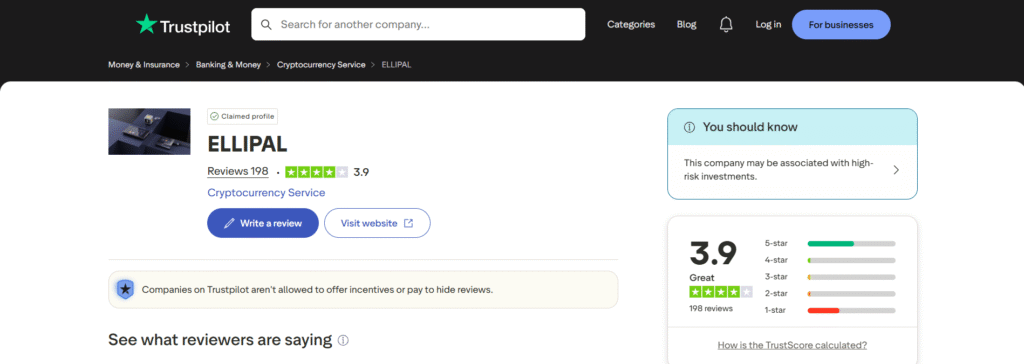
In 2017, Ellipal was founded in Hong Kong. The brand has also launched two other devices as of late: the Mini and the X Card.
On TrustPilot, Ellipal currently holds a 3.9 out of 5 rating with 196 reviews.
As for the Ellipal Titan 2.0 specifically, the device scored a 9.1 out of 10 on 99bitcoins.com, a 4.2 out of 5 on cryptonews.com and a 4.2 out of 5 on amazon.com.
Here’s what users are saying about the Titan 2.0 cold wallet:
For a true idea of Ellipal’s reputation, consult their socials, metrics and read what customers are saying.
To contact support, go to Ellipal.com and click the chatbot in the bottom right. You can also contact support through app settings.
Ellipal Titan 2.0 Vs. Other Crypto Wallets
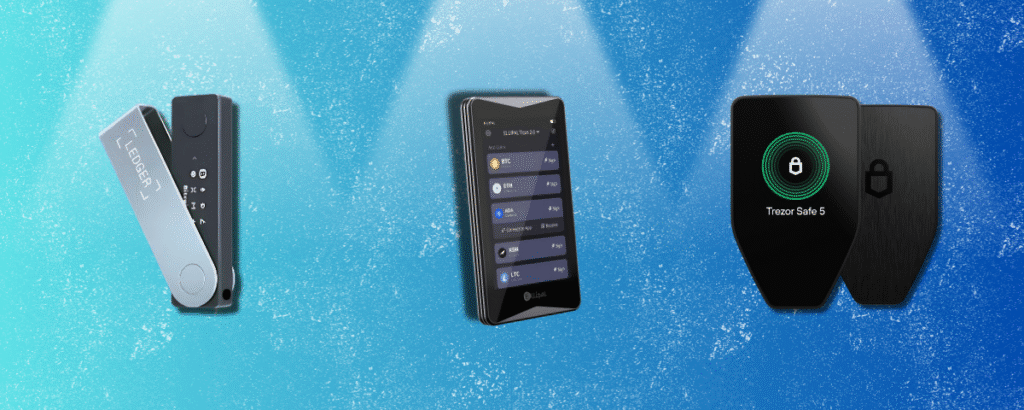
How does the Ellipal Titan 2.0 ($169) differ from other popular hardware wallets?
Safepal
- Safepal S1 ($50): QR code scanning, offline, great app, worse build quality
- Safepal X1 ($69): 12 buttons, USB C or Bluetooth, great app, worse build quality
Ledger
- Ledger S Plus ($59): USB only, 2 buttons, better build quality and app
- Ledger X ($149): battery powered, Bluetooth or USB-C connection, better build quality and app
- Ledger Flex ($249): Bluetooth or USB C, larger screen, additional features, better build quality and app
- Ledger Stax ($399): same as Flex, but with a curved screen and label binding
Trezor
- Trezor Safe 3 ($79): USB-C only, 2 buttons, similar build quality
Tangem
- Tangem card ($50): NFC, less security, more portable
- Tangem ring ($160): NFC, less security, more portable
OneKey
- OneKey Classic 1S ($99): 4 buttons, Bluetooth or USB C, similar build quality
Coolwallet
- Coolwallet Go ($69): NFC, less security, more portable
- Coolwallet Pro ($149): battery, small screen, clunky, slow, more portable
Cypherock
- Cypherock X1 ($149): USB-C only, joystick, 4 card backups, worse app, similar build quality
Secux
- Secux Neo X ($179): bulky, similar build quality, worse app
Final Thoughts: QR scanning worth the hassle?
The Ellipal Titan 2.0 is a decent mid-tier hardware wallet.
What truly shines on this device is the solid, metal build that gives this device the feel of a premium wallet without the premium price. Ellipal Wallet app has an eye-catching design and setup was relatively straightforward.
The two biggest caveats are the separate Security Adapter accessory and pesky firmware updates.
It’s a bit annoying that you can’t leave it on your desk and plug in a USB cable at whim.
And although we were able to update the firmware, other users have had issues. Also, the complicated process from PC to microSD to device can put some users off.
WE also need to mention that QR scanning devices take longer and are a bit less user friendly than USB and encrypted Bluetooth ones.
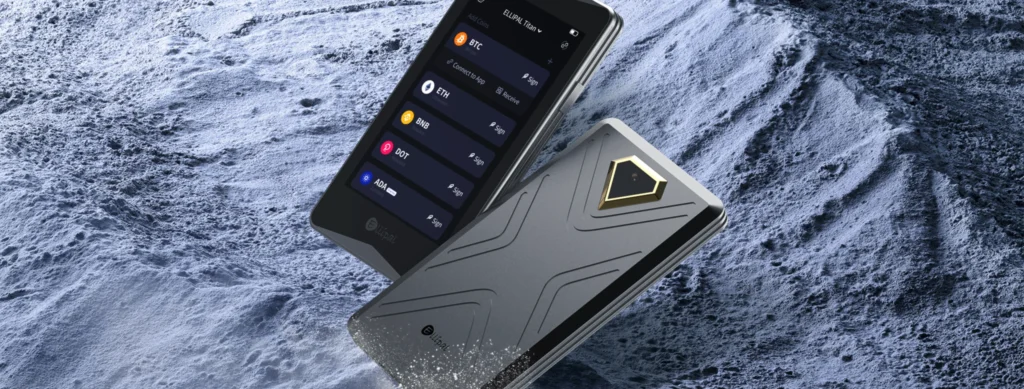
But if you’re looking specifically for a QR scanning hardware wallet, Titan 2.0 is superior to Safepal S1 in both build and usage.
So should you buy an Ellipal Titan 2.0?
For is, we’re not a big fans of QR wallets due to the added difficulty while using one. We’ve never personally had any issues with Bluetooth or USB C, so you need to decide if a completely offline device is right for you.
This hardware wallet is for users looking for an offline solution to store their crypto in a safe, secure way.
Now it’s definitely not for new users, as there are far simpler options for a first hardware wallet, such as Tangem, Ledger and Trezor.
If you want to grab one, check my link below for a discount.
For more in-depth breakdowns like Ellipal Titan 2.0, explore other crypto reviews on the site.
Thanks for reading and catch ya in the next review!
What that difference between Ellipal Titan 2.0 and X Card?
Ellipal Titan 2.0 uses QR scanning for an offline air-gapped experience.
The X Card uses NFC and a screened hardware device to sign transactions and store crypto.
Is Ellipal Titan 2.0 open sourced?
Ellipal is mostly closed source. The only open source part according to the team is the QR code scanning mechanism.
Ellipal ahs made it clear that open sourcing is not their focus.
Is Ellipal Titan 2.0 compatible on all devices?
Unfortunately not. Titan 2.0 is mobile only on Android and iOS.
What if I lose my Ellipal Titan 2.0 device?
Your seed phrase is written down on the paper sheets or with a metal backup. Keep this safe, as it’s the key to your crypto.
What is the expiry or shelf life of the Ellipal Titan 2.0?
It’s generally industry standard for screened cold wallet devices to last between 3-5 years. But with the Titan 2.0’s excellent build quality, it’s possible to last closer to 5 years.
Is Ellipal Titan 2.0 safe and secure?
Yes, but with any device be cautious. ELlipal seems to have learned from the mistakes of the EC01 device and has had no bugs, flaws or hacks in the Titan 2.0 device to date.
Rememeber to never expose your seed phrase and to store the hardware wallet and phrase somewhere tucked away.